Use the Raspberry Pi as private Git Server
If you do development at home and like me you do not want to publish immediately on GitHub because your project is still pending, then a solution may be to use the Raspberry as a Git Server.

Here I have chosen to store everything on a USB stick, It can be moved if necessary but also saving many writes on the SD card of the Raspberry Pi.
Preparation of your storage media
- Update your system
apt-get update && apt-get upgrade -y
- Install packages needed for the configuration of your media
apt-get install -y usbutils
- Create a specific user for our key
adduser --disabled-password --gecos "" git && echo "git:git" | chpasswd
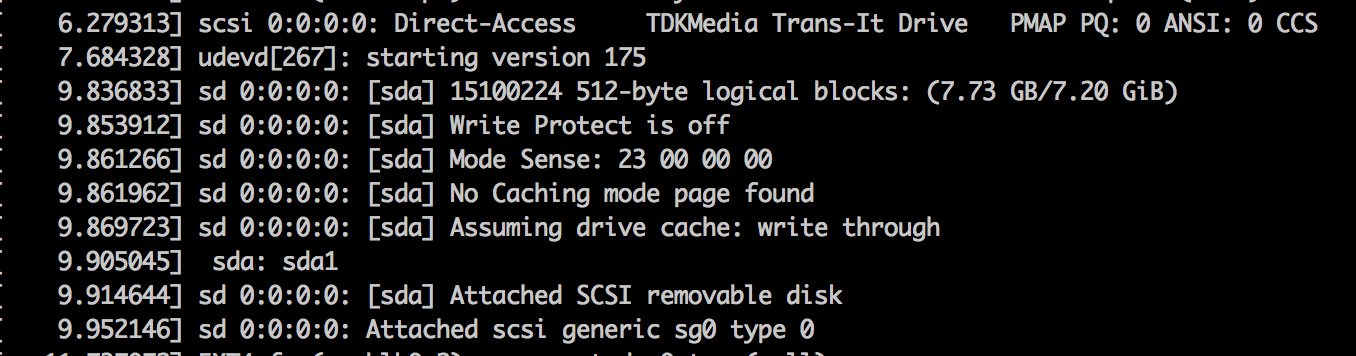
- Detect your device. You can use lsusb or dmesg

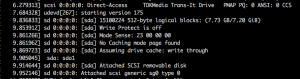 Here you can see that my key finding on /dev/sda
 - Create the mount point :
mkdir /gitData
- Use blkid (or ls -l /dev/disk/by-uuid) to find the UUID of the key to ensure that the mount point will be always associated with our key
 Found /dev/sda1 with a UUID equal to B9B8-190F
 - You can either use a support ext4 more efficient but compatible only Linux (natively speaking). Either support vfat they say less efficient but more universal. In this tutorial I chose to keep the format vfat.
Now let's add our USB key in the file /etc/fstab. The installation will be in the directory gitData with the user git. Add the following line :UUID=B9B8-190F /gitData vfat uid=git,gid=git,umask=0022,sync,auto,nosuid,rw,nouser 0 0
- Mount the partition (no need to reboot)
mount -a

Here you are with a USB drive mounted automatically
Install the Git Server
- Install the different packages
apt-get install -y git git-core
Thats all ! 🙂
Create a project and send it to your Git Server
- On Raspberry Pi (your Git Server)
- Connect with the user git (or do a su - git)
- Create directory for the XYZ project. Do not forget the .git at the end to meet standard Git.
mkdir /gitData/XYZ.git
- Initialize the directory
cd /gitData/XYZ.git
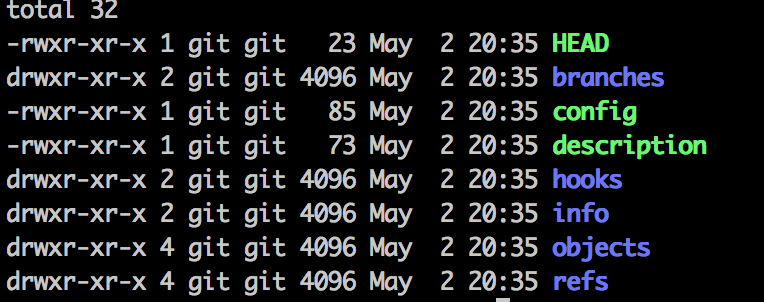
git init --bare
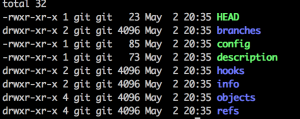 Here's what you need in the initialized directory
- On your development machine (Windows, Linux, Mac ….)
- Go to the directory containing the sources
- Define an alias for your project. You won't have to do this command only once !
git remote add pi git@<IP_RaspberryPi>:/gitData/XYZ.git
- To send your sources to the server you will need to enter the password of user git (by default git)
git push pi master
- To retrieve the latest sources from the repository
git pull pi master
- To retrieve/clone a project XYZ
git clone git@<IP_RaspberryPi>:/gitData/XYZ.git
Here I hope that ca will help you in your projects. For example, you can expose your deposits over the Internet by adding a service like inadyn in order to always achieve your Raspberry.
Source : http://daddytoy.blogspot.fr/2013/05/raspberry-pi-git-server.html